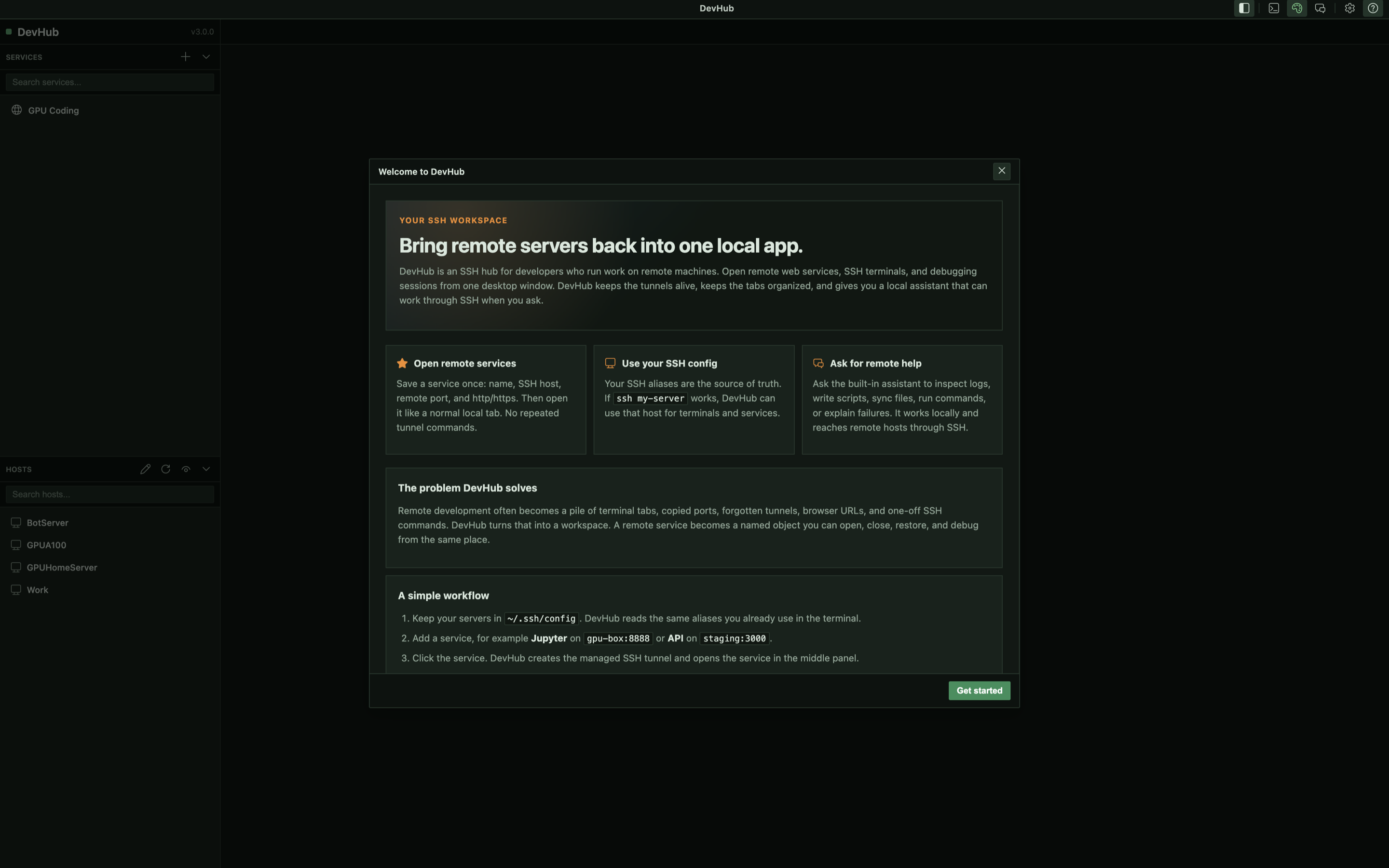
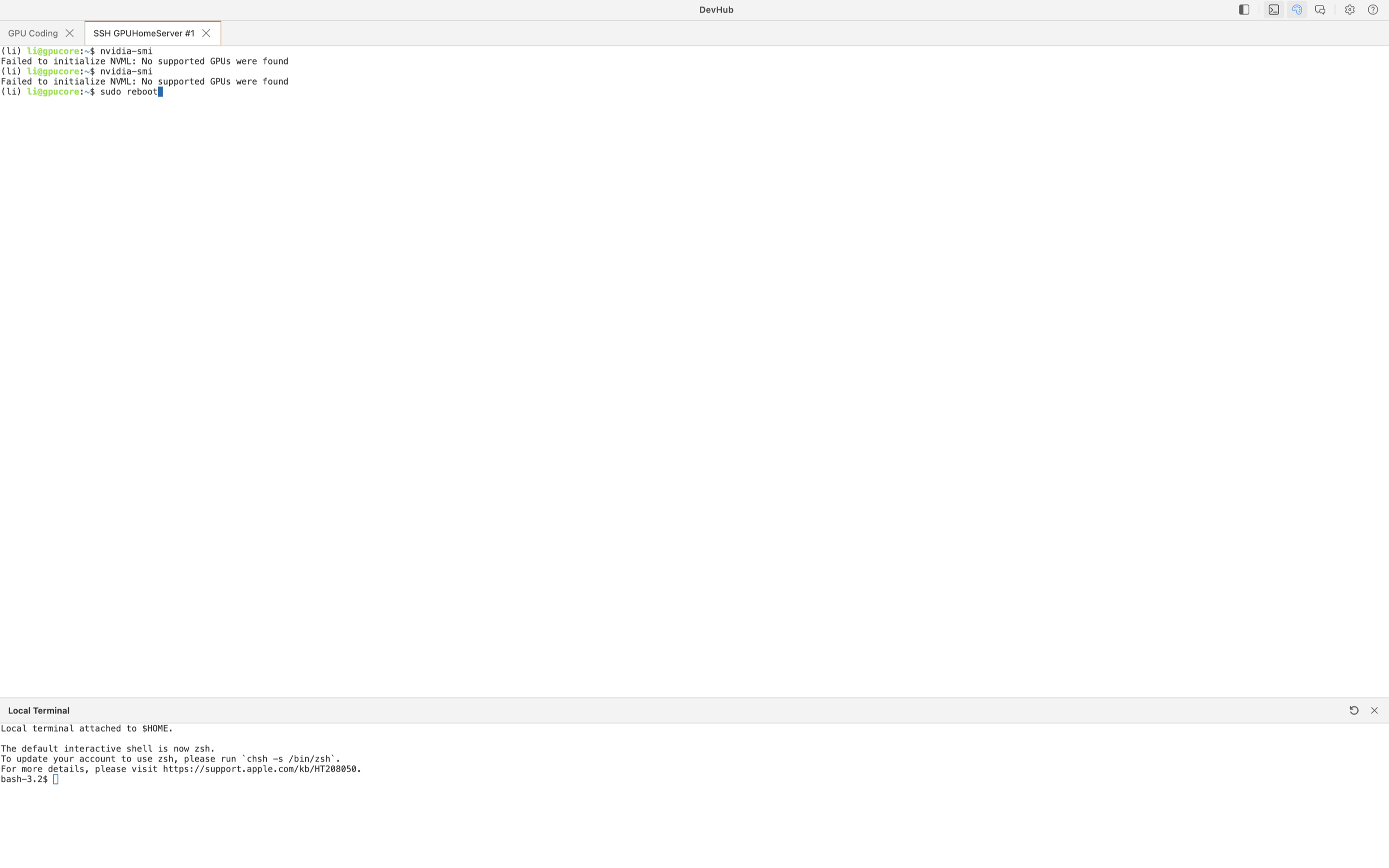
REMOTE_WORKSPACE
One place for services and shells
Keep code-server, dashboards, notebooks, APIs, and SSH terminal tabs organized by host and service instead of scattering work across windows.
Service-first DevOps workspace
One local macOS control plane for remote services, SSH terminals, and AI-assisted DevOps debugging. Open the service, let DevHub manage the tunnel, keep the investigation beside the system you are operating.
Remote development is usually a mix of internal web apps, SSH shells, logs, dashboards, scripts, and notes. DevHub turns those moving parts into one inspectable workspace.
REMOTE_WORKSPACE
Keep code-server, dashboards, notebooks, APIs, and SSH terminal tabs organized by host and service instead of scattering work across windows.
SERVICE_FIRST
Save the service name, host alias, protocol, and remote port. DevHub creates and restores the local loopback forward behind the scenes.
AI_DEBUG
The local assistant helps debug remote systems, then consolidates the useful parts into scripts, notes, patches, and runbooks.
A service is the object you operate. DevHub reads your SSH config aliases, opens the right local forward, and keeps the remote tool available as a named workspace tab.
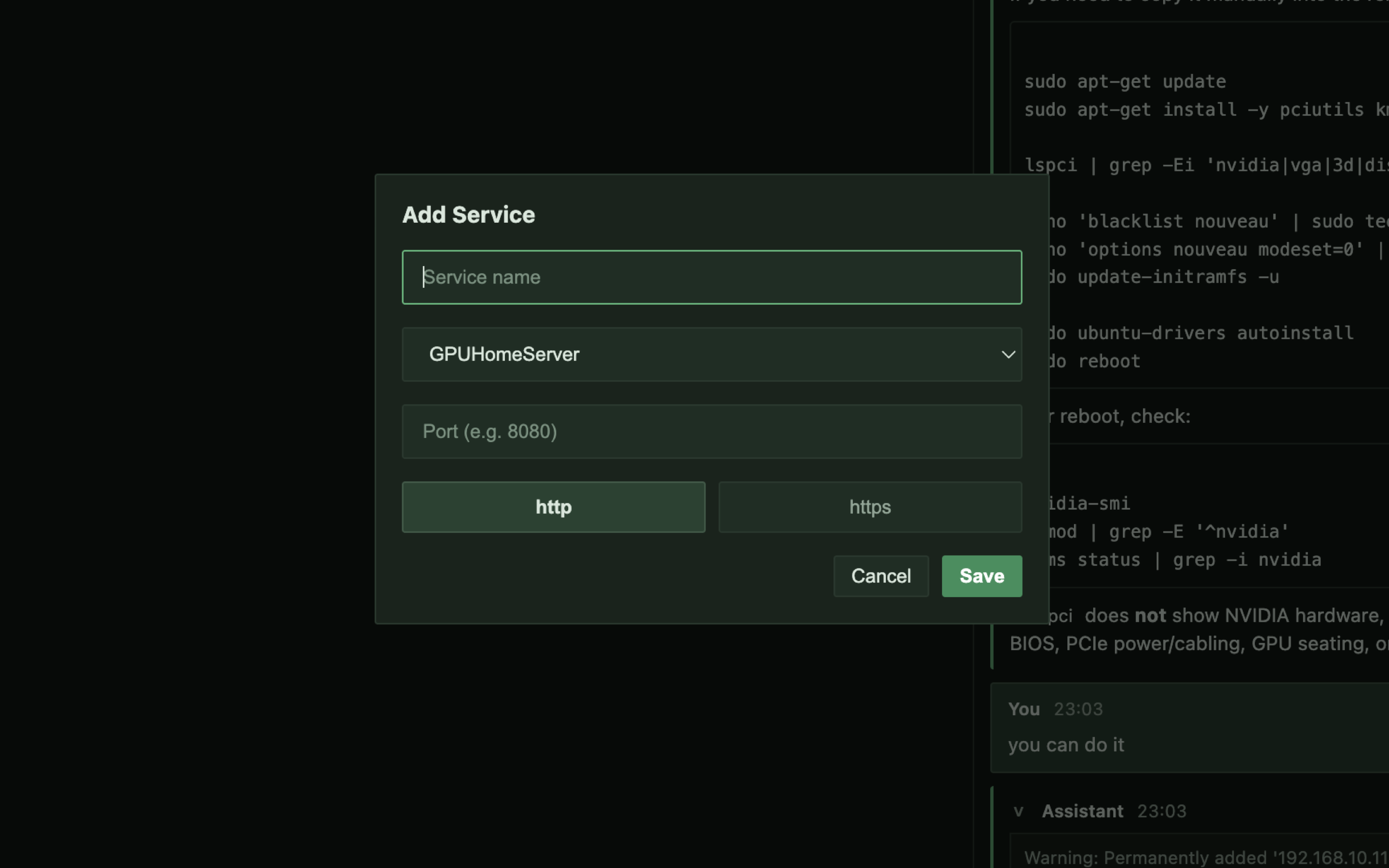
Service registry
Describe the remote thing you need to use: service name, SSH host alias, remote port, and protocol. DevHub handles the SSH2 forwarding and local URL.
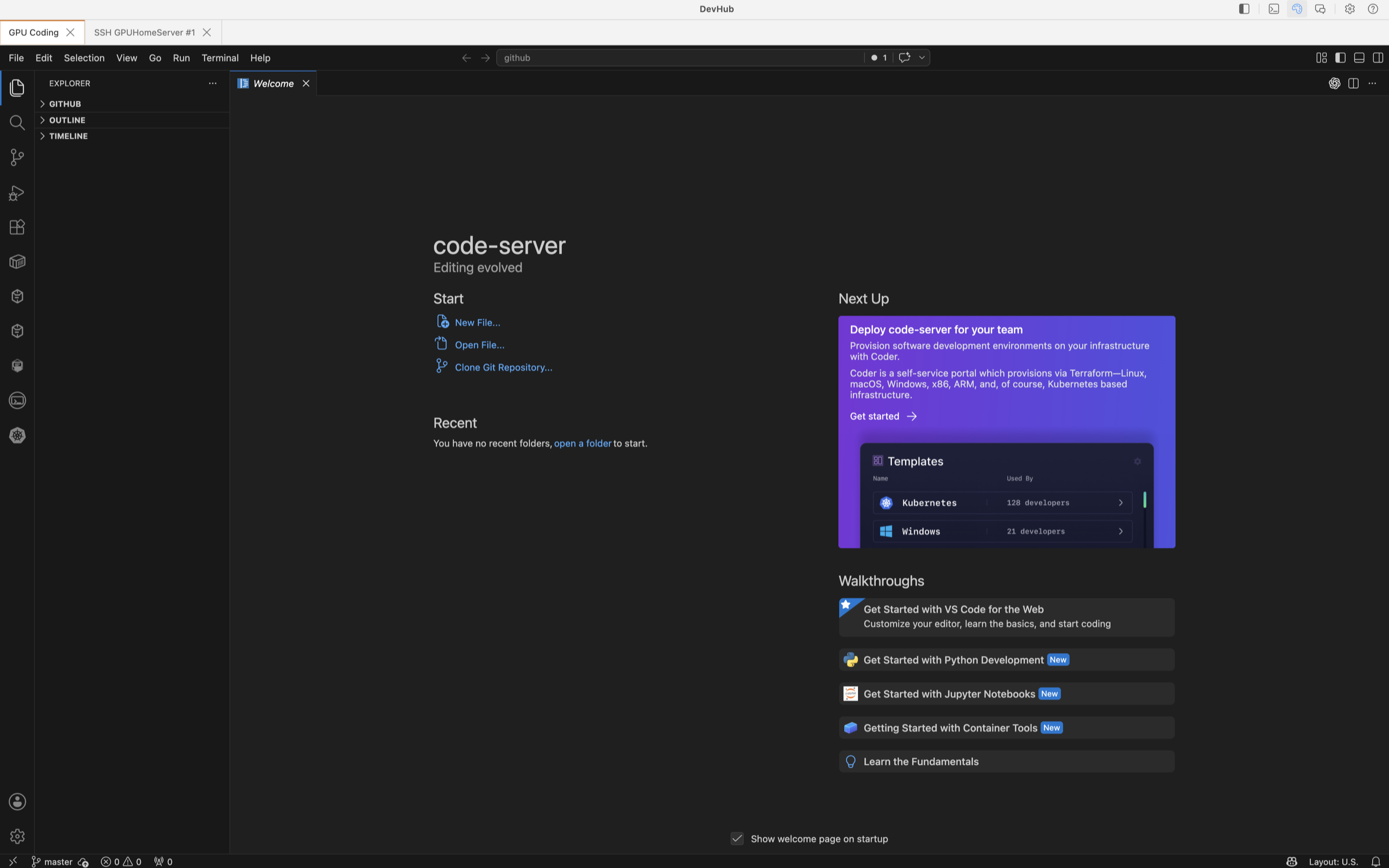
Workspace tabs
Run code-server, notebooks, admin UIs, and internal dashboards as service tabs. Keep the related host and terminal access next to the tool you are using.
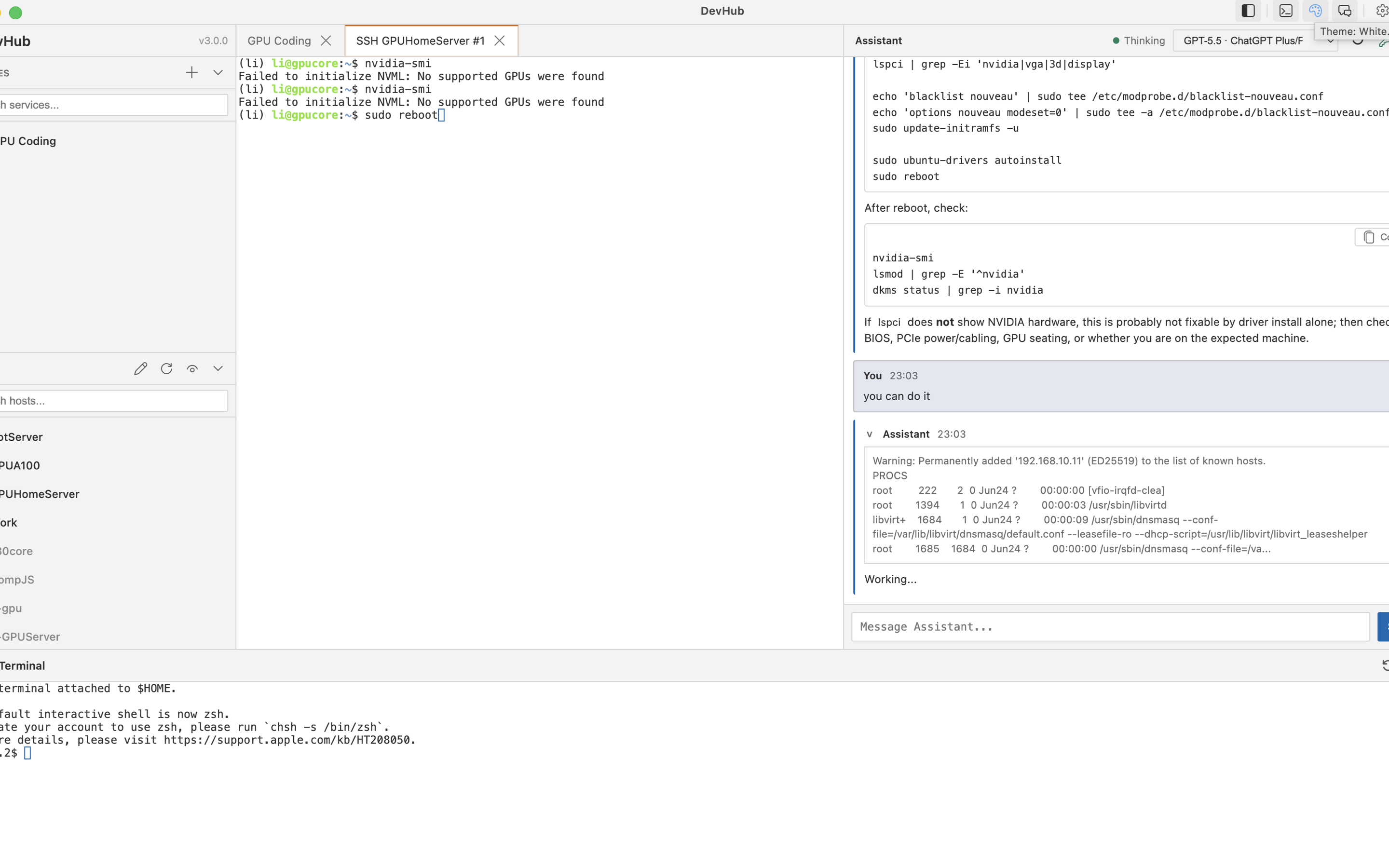
The assistant runs locally under DevHub and works through the same managed SSH context. Use it while you operate services, then capture the investigation as reusable DevOps knowledge.
AI beside the service
Explain errors, plan the next diagnostic command, draft a fix, or summarize the current state without switching away from the service tab.
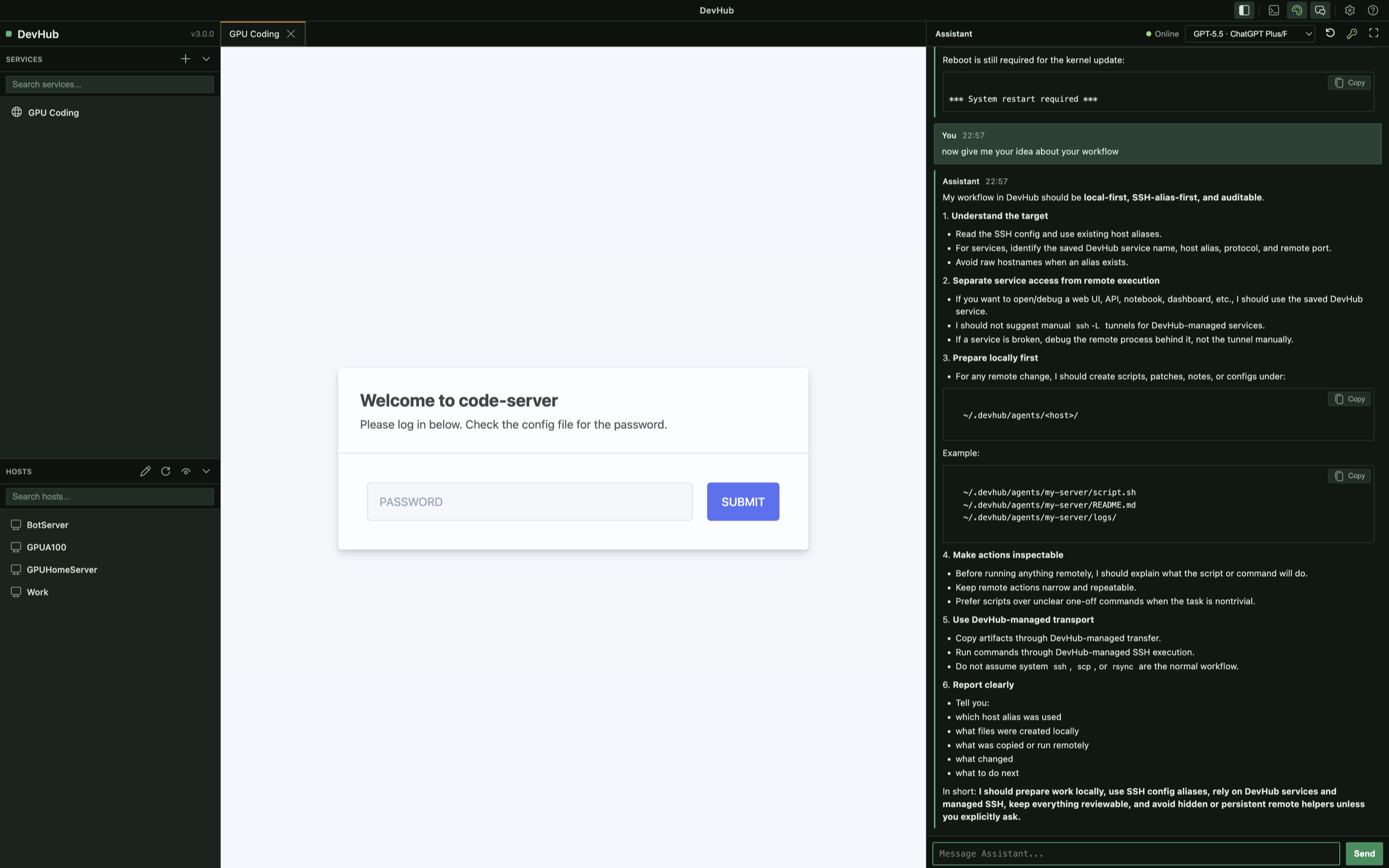
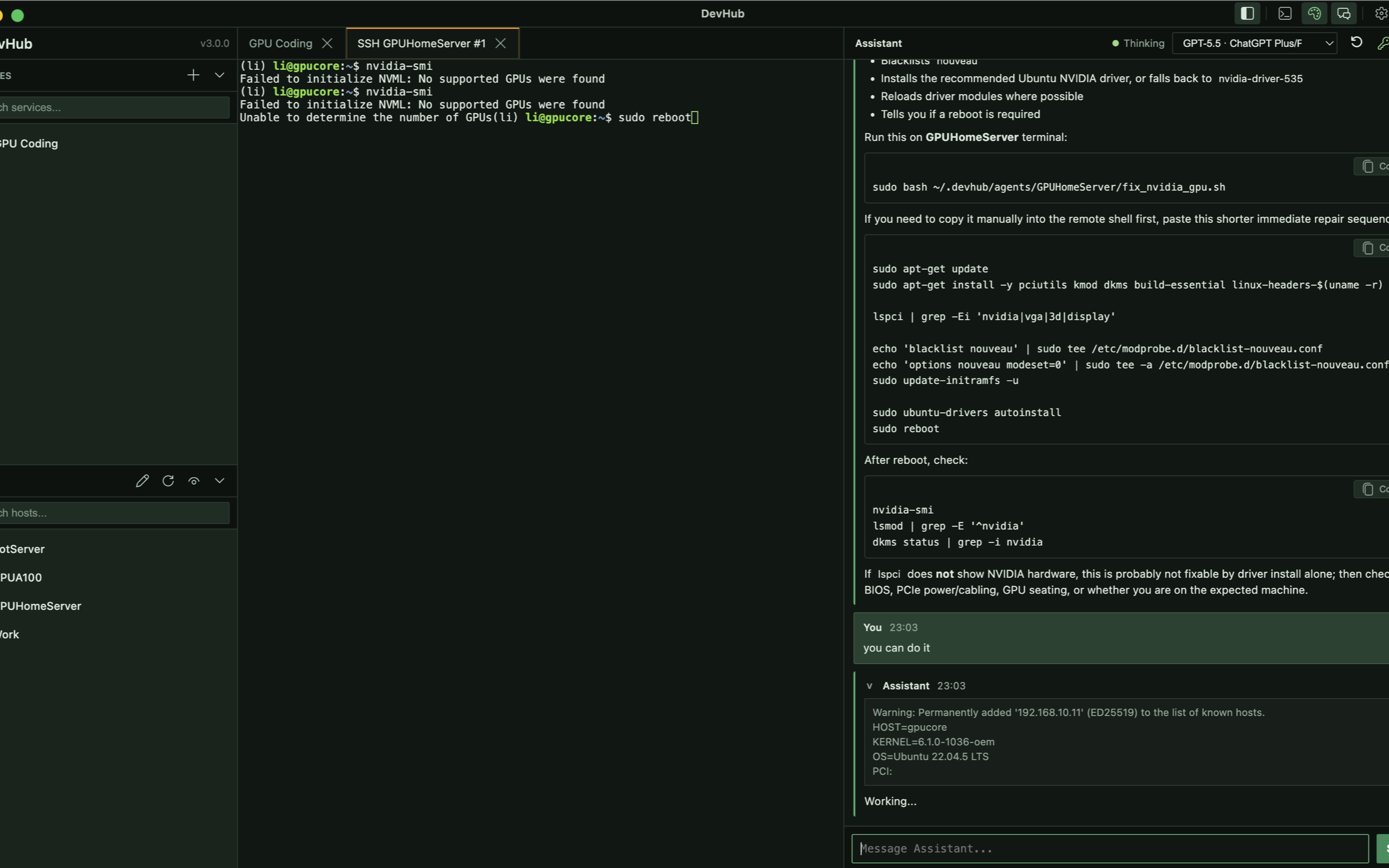
Agent Sessions
For deeper incidents, the assistant can prepare narrow checks, run them through managed SSH execution, and preserve the result as local scripts, notes, and runbooks.
DevHub keeps services, terminals, and operational memory in one macOS workspace.
The interface is organized around the repeatable parts of remote development: discover hosts, register services, open tools, keep terminals nearby, and preserve debugging knowledge.